Conductor is the application for effect and motion programming. Everything in the installation that moves or changes but is not the picture — lighting, automation, motion, audio, serial devices — is drawn as a curve against time on one timeline, and Conductor evaluates it frame by frame and sends the result out. The show logic lives in Backstage. Conductor programs what the show sets in motion, and the two run to the same clock.
It is built for permanent installations: visitor attractions, dome theatres, themed entertainment, museums, ride and animatronic control, media facades.
What belongs in Backstage
Much of what an installation needs is already in Backstage, and that is the shorter route. Backstage drives Art-Net and sACN devices directly, maps a media facade onto the 3D scene it already holds, and draws curves, colors and strings along a sequencer channel out to any Art-Net or sACN device. For straightforward work, none of that needs Conductor.
Conductor is for when it stops being straightforward — motion programming above all. The rule of thumb is simple: do it in Backstage if Backstage can. If it cannot, Conductor probably can.
Programming on a timeline
Every numeric output is a curve. Add control points, drag them, or type exact values, and choose how Conductor interpolates between any two of them — Linear, Step, Hermite or Bézier. Continuous movement can be drawn freehand or with the smudge tool, then optimized, scaled, inverted, stretched or shifted in time across a selection.
The tree runs timeline, groups, devices, channels. Every item can be cloned, hidden and muted individually while the show is playing, so a single channel can be taken out of the picture without stopping anything else.
Realtime mode
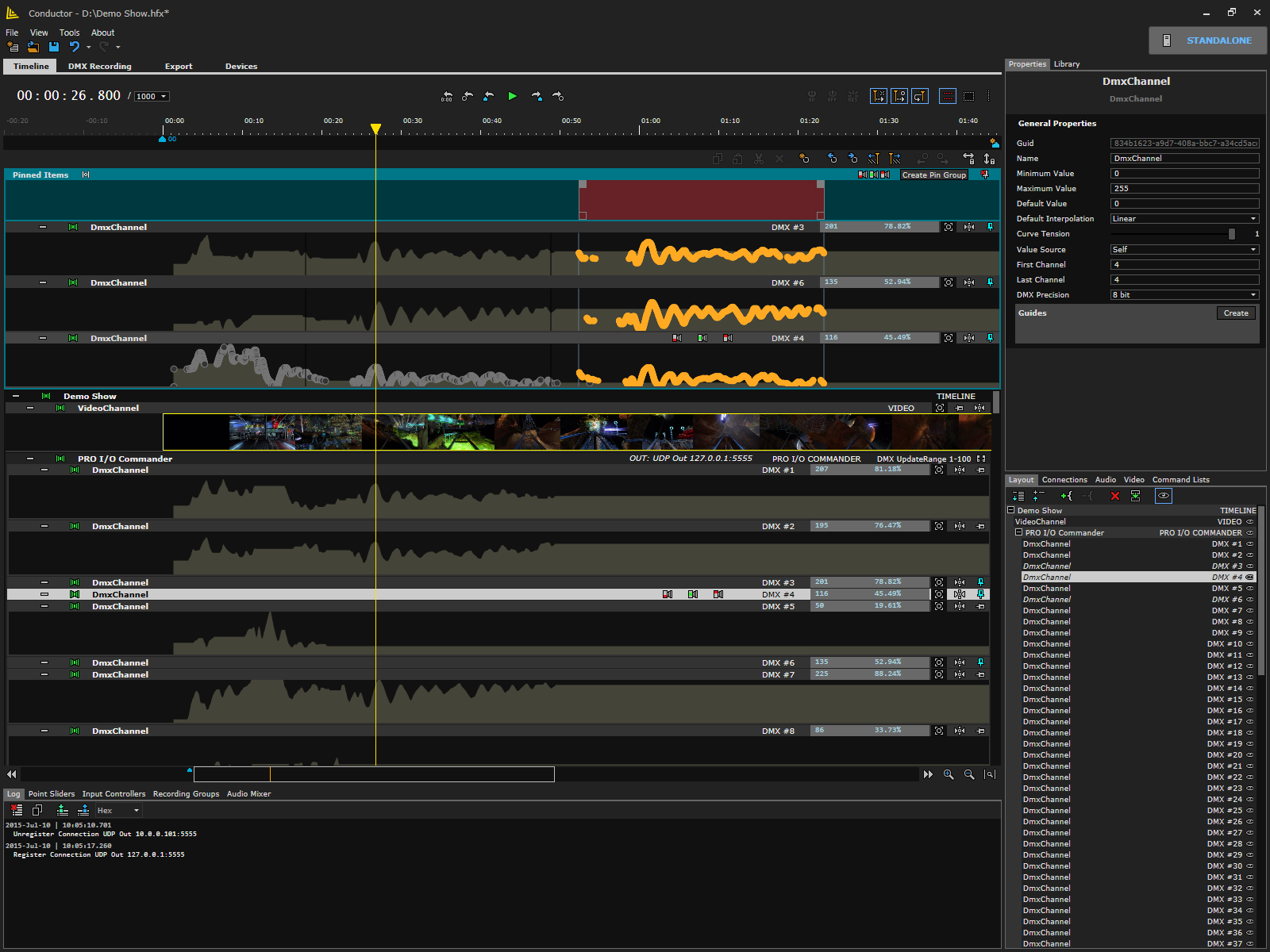
A timeline that drives a motion base is a different proposition from one that drives lights. A lamp will accept any value you send it; a platform will not, and the curve that looks correct on screen can still ask the machine for a step it cannot make. With realtime mode on, every numeric channel enforces speed and acceleration limits, with a separate limit pair for the stopped state and a decay factor. Limited regions can be marked in the curve, and the channel can output the restricted value rather than the programmed one.
Zones apply the same discipline at edit time. A control point cannot be dragged past the vertical range set for its channel, so a programmed axis stays inside its range while it is being written, not only while it is being played. A zone edit can be applied across several channels at once. This is what lets the timeline that runs the lighting also run the motion.
Realtime motion on the PLC
Where the motion is a ride, the limits should not live only in the software that drew the curve. An optional module runs inside the Beckhoff TwinCAT realtime kernel and takes Conductor’s channel data directly, at up to 1000 updates per second. The speed and acceleration limits set on the timeline are synchronized to that module and enforced there, in the realtime kernel, rather than trusted to arrive intact over a network.
The transfer is overlapped and redundant, so a lost packet does not become a lost step of motion. Two independent places then hold the same limits: the timeline that was programmed, and the controller that actually moves the machine.
Recording from a physical control
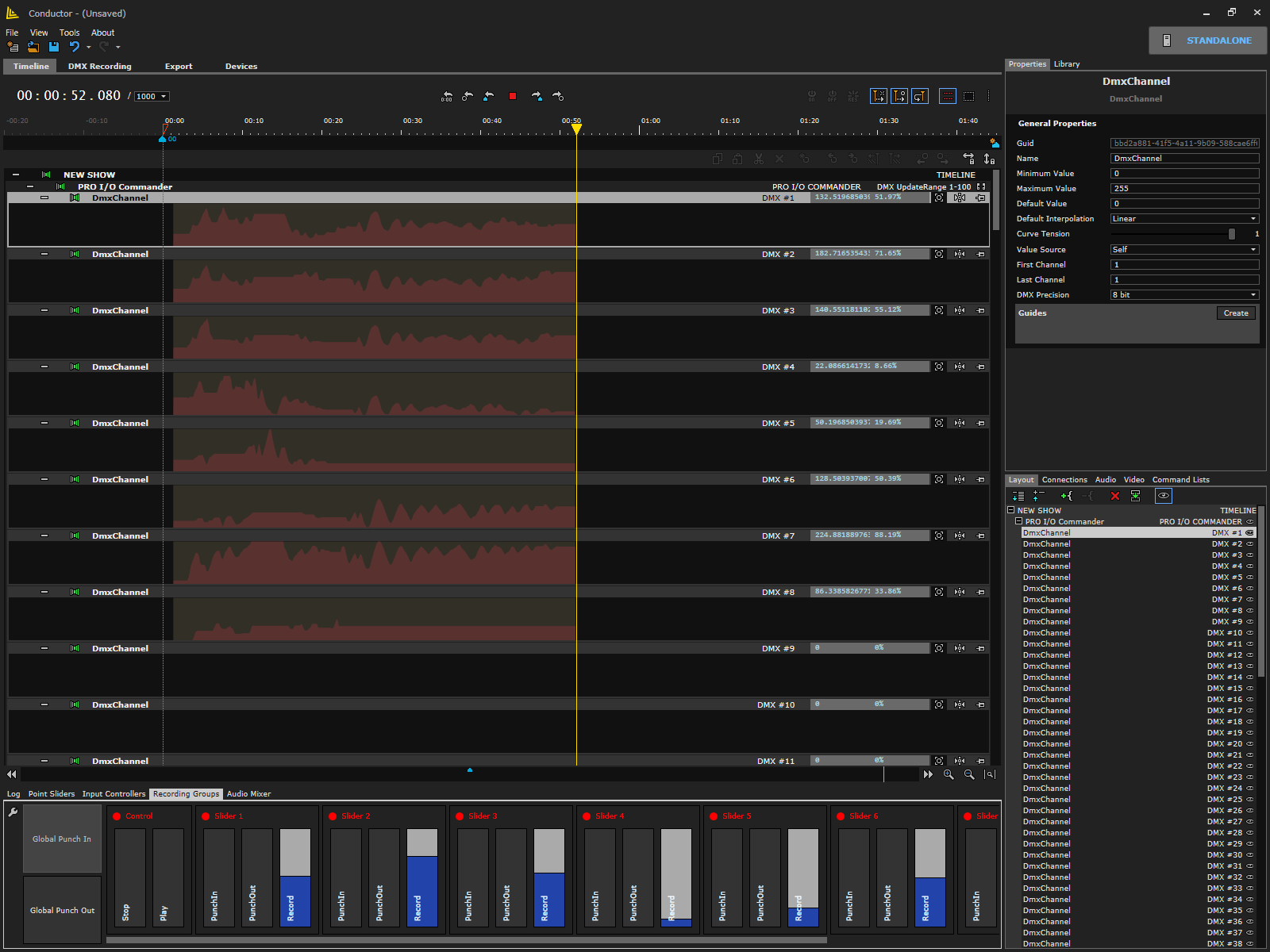
Some movement is faster to perform than to draw. Map a real control to a channel, punch in, and Conductor records the movement as points — keyboard, mouse, MIDI controllers, joysticks, gamepads, PosiStageNet, generic OSC devices and sACN. Each mapping carries its own hardware range, mapped range, scaling, inversion and ease-in and ease-out, and a missing device, property or channel is reported rather than failing quietly.
Recording groups punch in and out by button, by marker, or globally across every group at once. A control can also be bound to an action instead of a value, so the same surface that writes the curve can run transport, move the Locator and set the punch points.
Points and editing
What a performance leaves behind is points, so it edits like anything drawn by hand. The Point Sliders panel steps from one control point to the next and trims its value on a fader, which is how a recorded pass gets tidied without redrawing it.
Merge plots overlay several channels in one lane for comparison, and pin groups hold unrelated channels side by side when the two things that have to agree are at opposite ends of the tree. Anything worth keeping goes into the library as a reusable part — a channel, a group, or a set of points — and comes back into the next show.

Audio
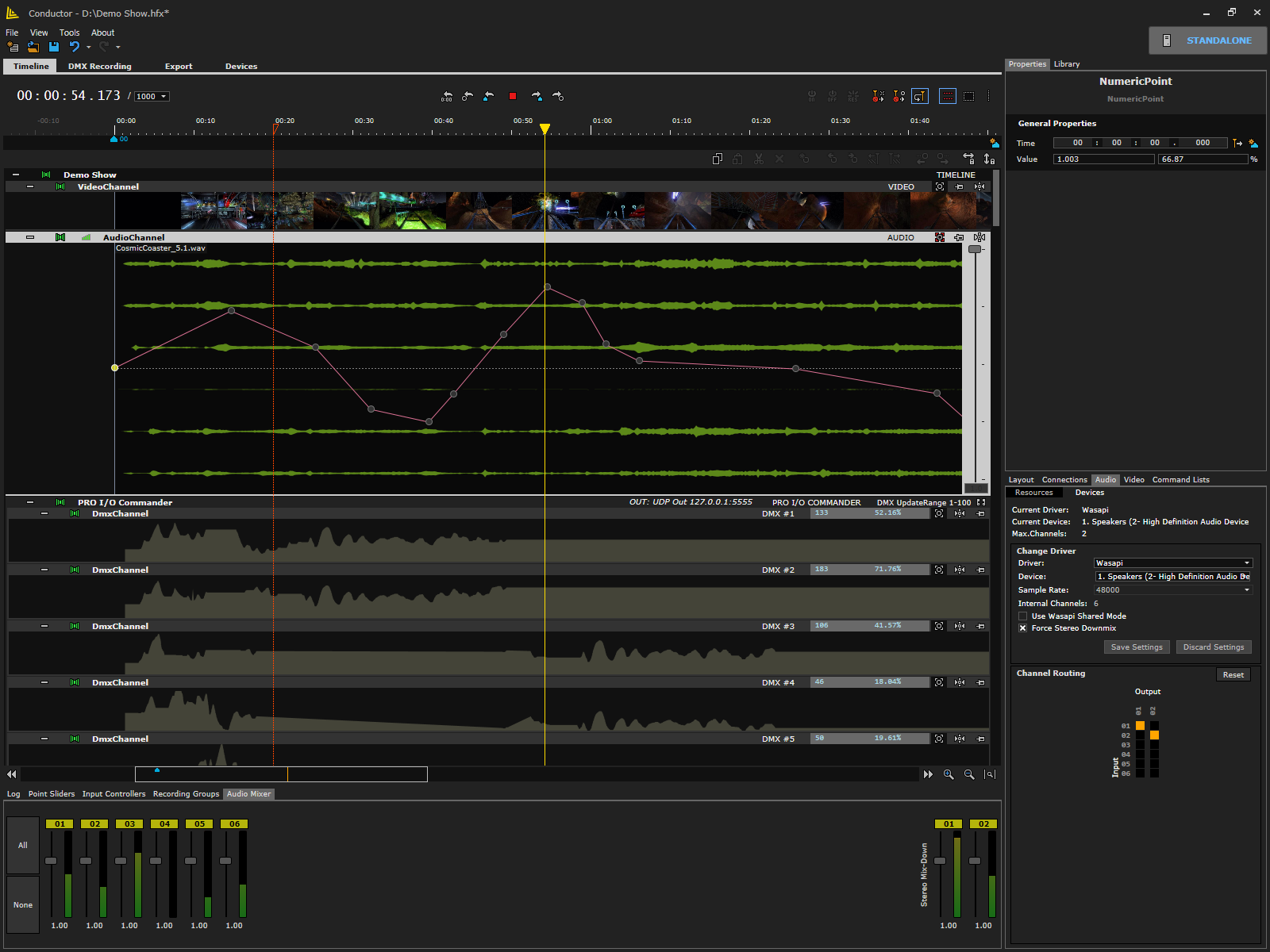
Audio sits on the same timeline as everything else: 2 to 32 internal channels, with per-file volume envelopes drawn as curves and a mixer panel showing live levels. Files import as .wav, .w64, .ogg or .mp3, and the waveform display is backed by cached peak files so a long file scrubs without stalling.
Internal channels are muxed to physical outputs with separate regular and downmix maps, an optional forced stereo downmix and optional 16-bit conversion. Waveform generators produce tones and value curves that feed the audio graph and numeric channels alike, so the same generator can shape a sound and a movement.
Recording a lighting rig
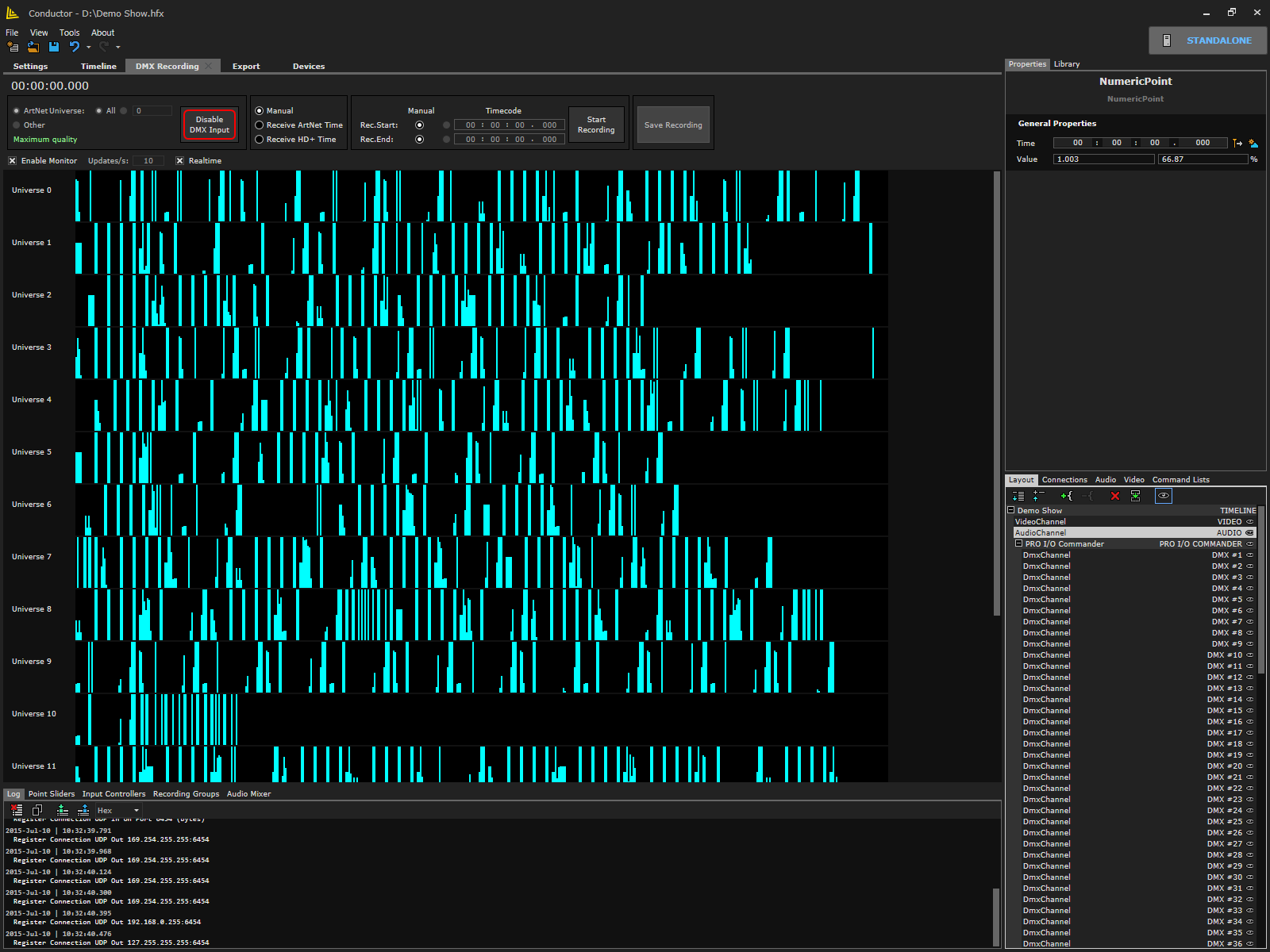
A rig that has already been programmed elsewhere does not have to be programmed again. Conductor records incoming DMX, Art-Net or sACN and keeps the capture alongside the show — up to 1000 sACN universes in a single session — with a live monitor of the incoming universes and an updates-per-second readout while it runs.
A capture can also be a starting point. Selected DMX channels are extracted into real, editable channels — a handful at a time rather than a whole capture, because DMX carries far more points than a timeline wants — and can then be merged, shifted and converted. Timecode comes from Art-Net timecode, from passive mode, or by hand, and can be preserved when the recording is imported.
Programming against picture
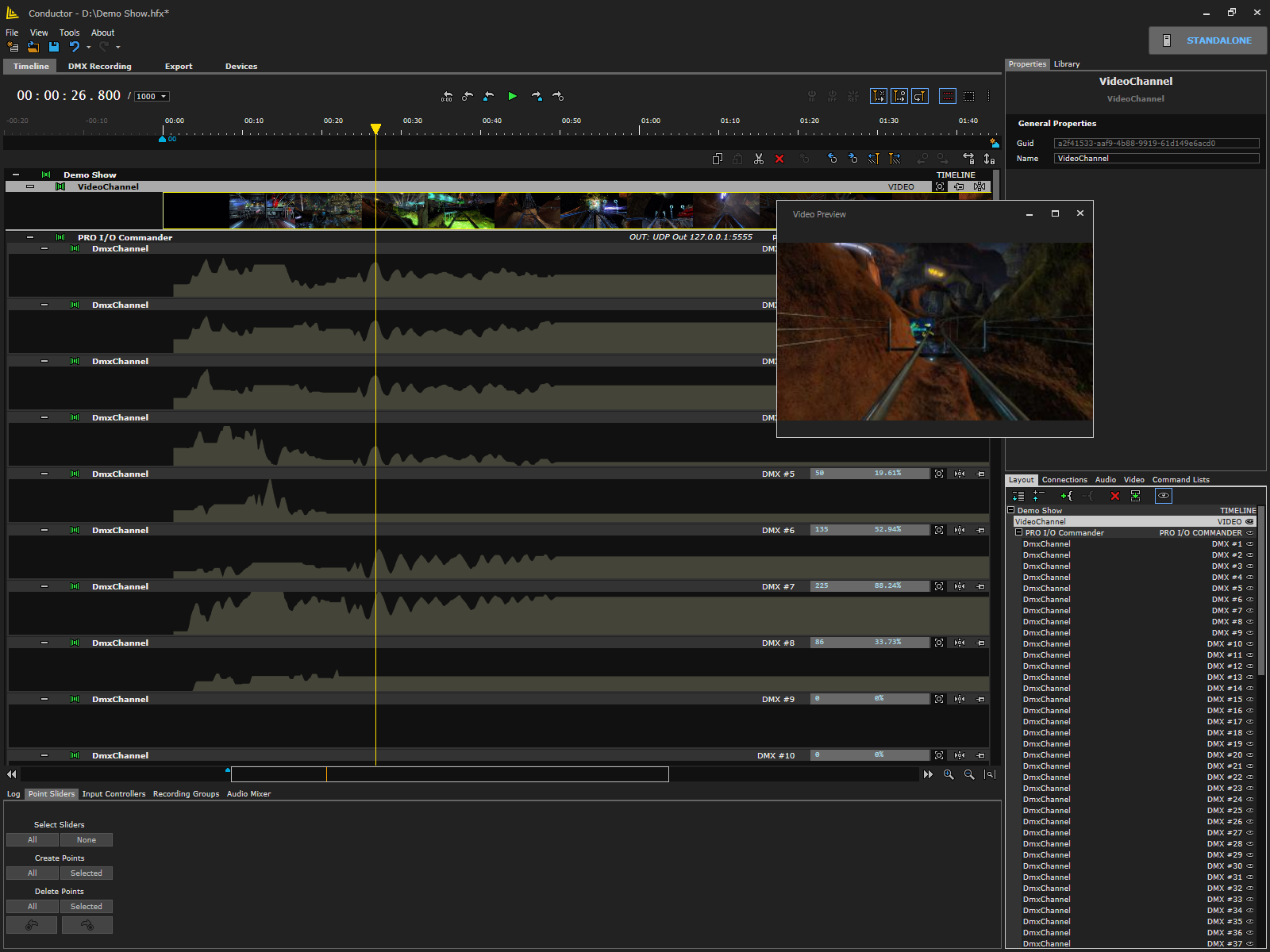
Video imports as a reference layer so effects are programmed against the picture, frame by frame, before anyone is in the room. Preview width and quality are configurable and previews are cached, so scrubbing stays responsive on a long file.
Video here is a programming reference. Playback to an audience is Backstage's job, and when Backstage is on the other end of the link, the reference is not a copy at all.
Passive mode
Conductor can follow an external clock instead of running its own. The source can be Backstage, an earlier Brainsalt playback server, a standalone show controller, LTC from a hardware timecode card, the system clock for time-of-day scheduling, or a Beckhoff PLC reached over TwinCAT ADS. Timecode offset, out-of-sync tolerance and 24 fps against 23.976 interpretation are all set per installation.
The Backstage link
Every other clock source is one-way: Conductor follows. Backstage is a two-way sync, and it is the deepest integration in the suite. Backstage picks the show — Conductor matches the Backstage sequence name against its open timelines, brings the matching timeline to the front and plays it, and follows stop, pause and position from there. An operator working in Backstage never touches Conductor.
Conductor drives Backstage back: play, pause and, most usefully, seek. Drag the Conductor Locator and Backstage's picture follows to the same frame, so programming an effect against a moment in the video means scrubbing one timeline instead of keeping two in step by hand. A Conductor timeline can also represent a segment inside a longer Backstage sequence, with the offset applied automatically.
The link is built to survive a bad network. Control messages go out twice, over multicast and over an acknowledged channel, so a command is not lost to a dropped datagram. Conductor runs its own high-resolution clock and lets Backstage correct it rather than stepping to each packet: small drift is absorbed, a large jump is followed immediately, and if Backstage stops sending, Conductor holds position rather than drifting. One Backstage server is whitelisted by name, so a shared announcement group cannot hand control to another host. On a Brainsalt server this is the default posture — Conductor starts minimized, in passive mode, following Backstage.
Pixel output from the video frame
Media facade mapping belongs in Backstage — it holds the 3D scene the facade is mapped onto, and drives the Art-Net and sACN devices itself. Where that pixel output has to sit inside a Conductor show alongside everything else on the timeline, Conductor’s Backstage Art-Net and Backstage sACN devices take the live frame Backstage is playing and split its pixels across DMX universes, with RGBW and configurable update modes.
What reaches the pixel hardware is the frame on screen, not a second version of the content prepared and timed separately. There is nothing to keep in sync, because there is only one source.
Command channels and scripting
A command channel sends string commands over TCP, UDP or serial, with values substituted from other channels. A command point fires once, or stays open across a time range and re-sends whenever its source channels change — which turns a curve into a stream of live values for any device that speaks text. Command lists are stored as reusable files.
Where a value has to be computed rather than drawn, scripts are real C#, compiled in-process and evaluated at the current timeline position. A script reaches any item by index or by name anywhere in the tree, reads its last evaluated value, mutes it, or forces an evaluation at a given time; compiler and runtime errors surface in the editor. Separate power-on, power-off and reset scripts put the installation into a known state, and any timeline's current state can be exported as one.
The installed machine
Conductor starts minimized and loads its show automatically. A UDP text protocol with a configurable port, reply port and IP whitelist covers transport, jumps, opening shows, recording, muting, seat selection, triggering scripts and entering or leaving passive mode; every command answers Success or Failed, and markers can enable and disable the listener partway through a show.
Operations have somewhere to look when something is wrong: per-severity logging with syslog forwarding, incoming and outgoing traffic logging with dump files, network statistics and a connection panel. A programmed show can also be built into a deployment package and uploaded to standalone show hardware, where it runs with no PC present at all.
Specifications
Timeline and curves
| Programming model |
Every numeric output is a curve. Add control points, drag them, or type exact values. |
| Interpolation |
Four modes between any two points: Linear, Step, Hermite, Bézier. |
| Curve drawing |
Freehand and smudge drawing for continuous movement. |
| Curve operations |
Curve optimization, value scaling, value inversion, time scaling and time shifting across a selection. |
| Structure |
Timeline > groups > devices > channels. Every item is cloneable, hideable and individually mutable during playback. |
| Zones |
Vertical drag limits per channel, so a programmed axis cannot be edited outside its safe range. A zone edit applies across several channels at once. |
| Realtime mode |
Speed and acceleration limits enforced per numeric channel, with a separate limit pair for the stopped state and a decay factor. Limited regions can be marked in the curve, and the channel can output the restricted rather than the programmed value. |
| Editing tools |
Point sliders for stepping between control points and trimming on a fader. Merge plots overlay several channels in one lane; pin groups hold unrelated channels side by side. A library stores channels, groups and point sets as reusable parts. |
| Show files |
.hfx, saveable in an earlier file-format version for installations already in service. |
| CSV |
Import with frame rate and time interpretation plus denormalization (raw, 0 to 1, -1 to 1). Export per channel or selection, optionally rebased to zero. |
| Show import |
Weigl ProCommander command files (.wm1) and OpenHex. |
Timing and frame rates
| Time base |
Milliseconds, or frame-locked to a fixed rate. |
| Frame rates |
23.976, 24, 25, 29.97, 30, 47.952, 48, 50, 59.94 and 60 fps, with drop-frame handling. |
| Timecode sources |
Art-Net timecode, passive-mode timecode, LTC from a hardware timecode card, system clock, or manual entry. |
| Markers |
Bookmarks, snap targets and triggers. Actions cover jump, pause, punch in and out, export start and end, enabling and disabling remote control, and starting and stopping passive mode. |
Recording from physical controls
| Method |
Map a real control to a channel, punch in, and the movement is recorded as control points. |
| Input controllers |
Keyboard, mouse, MIDI controllers, joysticks, gamepads, PosiStageNet, generic OSC devices, sACN sources, and Bitfocus Companion. |
| Mapping |
Per control: hardware range, mapped range, value scaling, inversion, ease-in and ease-out. A missing device, property or channel is reported explicitly. |
| Recording groups |
Per-group punch in and out, triggered by button, by marker, or globally across all groups. |
| Transport binding |
A control can be bound to an action instead of a value — transport, jumps, marker navigation, locator movement, zoom and global punch. |
| Feedback |
MIDI feedback to the control surface. Mackie control-surface presets ship with the application. |
| Presets |
Input presets and recording-group files, each with a load-on-startup default. |
Lighting and data protocols
| Lighting output |
Art-Net, including Art-Net timecode and node discovery. sACN / E1.31, with synchronization devices. ENTTEC ESP. DMX universes, sub-universes and a DMX mapper. |
| DMX resolution |
8-bit and 16-bit. |
| Generic I/O |
OSC, UDP, TCP, RS-232 serial, MIDI. |
| Tracking |
PosiStageNet server and trackers. |
| Recording sources |
Incoming DMX, Art-Net or sACN, kept as a recording alongside the show. Stored and exchanged as .dmxrec. |
| Recording capacity |
Up to 1000 sACN universes in one capture session. |
| Recording timecode |
From Art-Net timecode, from passive mode, or manual. Recorded timecode can be preserved on import. |
| Recording monitor |
Live view of incoming universes with an updates-per-second readout. |
| Extraction |
Selected DMX channels are extracted from a capture into real, editable channels — a limited number at a time, not a whole capture — then merged, shifted and converted. Devices can be built from several recordings at once. |
| Pixel output from video |
Media facade mapping belongs in Backstage, which holds the 3D scene and drives Art-Net and sACN itself. Where that output has to sit on a Conductor timeline, Backstage Art-Net and Backstage sACN devices take the live frame and split its pixels across DMX universes, with RGBW and configurable update modes. |
| Channel types |
Numeric, DMX, DMX range, Color (RGB/RGBW), Digital, Analog, PWM, Servo, CAN, RS-232, Command, Audio, Video, Script, Bit and bit groups, Seat selection, PSN tracker, TwinCAT, Hexapod, Limiter, Waveform generator. |
Supported devices and platforms
| Show controllers |
Weigl ProCommander 2, 3, 4, ES, LTC and AX, plus the LX, PHX, HX, HXi and VX families. |
| I/O modules |
Weigl Pro I/O — DMX, Analog + Servo, and Digital + Relay modules. |
| Standalone deployment |
A deployment package gathers show files, additional files and a generated control.ini, scans the network for Weigl devices and uploads. The show then runs on the hardware with no PC present. |
| PLC — Beckhoff TwinCAT ADS |
Read and write TwinCAT variables directly over ADS, including using an ADS symbol as the show clock. |
| PLC — Beckhoff TwinCAT SPS |
A TwinCAT PLC exposing Conductor’s channel manager. Shows export as TwinCAT profiles and deploy to the PLC, with device discovery, per-package options and live deployment status. An offline configurator builds the device configuration when the PLC is unreachable. |
| PLC — Beckhoff TwinCAT realtime (optional module) |
Channel values are streamed to the TwinCAT realtime side at 1 ms resolution, each packet carrying a configurable window of upcoming values so a lost packet is covered by the next. Per-channel speed and acceleration limits, stopped-state limits, decay factors and channel minimum, maximum and default values are transmitted to the PLC side in a parameter packet. |
| PLC — Siemens S7 |
Supported in Beta. |
| DMX interfaces |
ENTTEC ESP devices, alongside Art-Net and sACN nodes from any manufacturer. |
| Motion |
Hexapod 6-DOF motion devices (optional module). |
| 4D effects |
Kraftwerk 4DMS and SFX eModule devices (optional module). Seat-selection channels for 4D cinema are part of the standard channel palette. |
| Control surfaces |
MIDI control surfaces with feedback, joysticks and gamepads, generic OSC devices, and Bitfocus Companion — which streams values in over OSC as an input device and can drive transport through the remote-control protocol. |
| Timecode cards |
Alpermann+Velte / Plura LTC reader cards. |
| Tracking systems |
PosiStageNet servers and trackers. |
| Media servers |
Backstage, bidirectionally. Earlier Brainsalt PlayMaker and HD+ servers as a clock source. |
Audio
| Internal channels |
2 to 32 channels on the timeline. |
| Level control |
Per-file volume envelopes drawn as curves, with a mixer panel showing live levels. |
| Drivers |
ASIO, WASAPI (shared or exclusive), DirectSound, WaveOut. |
| Import formats |
.wav, .w64, .ogg, .mp3, with waveform display backed by cached peak files. |
| Routing |
Internal channels muxed to physical outputs, with separate regular and downmix channel maps, optional forced stereo downmix and optional 16-bit conversion. |
| Generators |
Waveform generators produce tones and value curves that feed both the audio graph and numeric channels. |
| Deployment encoding |
OGG, MP3, AAC or WAV, according to the target device. |
Video for offline programming
| Purpose |
Video is imported as a reference layer so effects are programmed against picture, frame by frame. Playback to an audience is Backstage’s job. |
| Formats |
.mpg, .mpeg, .avi, .vob, .mp4, .wmv, .mov. |
| Preview |
Configurable preview width and quality, cached so scrubbing stays responsive. |
Scripting and command channels
| Language |
Real C#, compiled in-process and evaluated at the current timeline position. Compiler and runtime errors surface in the editor. |
| Script access |
Reach any item by index or by name anywhere in the tree; read its last evaluated value, mute it, or force an evaluation at a given time. |
| State scripts |
Power-on, power-off and reset scripts put the installation into a known state. Any timeline’s current state can be exported as one. |
| Command channels |
String commands over TCP, UDP or serial, with values substituted from other channels. Command lists are stored as reusable files. |
| Command timing |
A command point fires once, or stays open across a time range and re-sends whenever its source channels change — turning a curve into a stream of live values for any device with a text protocol. |
Synchronization
| Passive mode |
Conductor follows an external clock instead of running its own. |
| Clock sources |
Backstage (bidirectional, below); Weigl ProCommander; an Alpermann+Velte / Plura LTC card; the system clock, for time-of-day scheduling; a Beckhoff PLC reached over TwinCAT ADS; and earlier Brainsalt PlayMaker and HD+ servers. |
| Sync settings |
Timecode offset, out-of-sync tolerance, and 24 fps against 23.976 interpretation. |
| Backstage selects the show |
Conductor matches the Backstage sequence name against its open timelines, brings the matching timeline to the front and plays it. Stop, pause and position follow. |
| Conductor drives Backstage |
Play, pause and seek travel the other way. Dragging the Conductor Locator moves Backstage’s picture to the same frame. |
| Segment mode |
A Conductor timeline can represent a segment inside a longer Backstage sequence, with the offset applied automatically. |
| Delivery |
Control messages go out over both multicast and an acknowledged channel, so a command is not lost to a dropped datagram. |
| Clock discipline |
Conductor runs its own high-resolution clock and lets Backstage correct it. Small drift is absorbed, a large jump is followed immediately, and if Backstage stops sending, Conductor holds position rather than drifting. |
| Host selection |
One Backstage server, whitelisted by name, so a shared announcement group cannot hand control to another host. |
| Default on a Brainsalt server |
Conductor starts minimized, in passive mode, following Backstage. |
Remote control and operations
| Remote control |
A UDP text protocol with a configurable port, reply port and IP whitelist. Every command is answered, with success or failure reported back to the caller. |
| Scope |
Transport and jumps, opening and switching shows, starting and stopping recording and rehearsal, muting, seat selection, triggering scripts, and entering or leaving passive mode. |
| Mid-show gating |
Markers can enable and disable the remote-control listener during a show. |
| Startup |
Starts minimized and loads a show automatically, with single-instance handling. |
| Logging and diagnostics |
Per-severity file logging with syslog forwarding, incoming and outgoing traffic logging with dump files, network statistics and a connection panel. |
| Shortcuts |
Roughly 200 commands, each with a user-remappable shortcut. |

